Showing posts with label Microsoft. Show all posts

Monday, July 7, 2014

Windows Azure Pack - Infrastructure as a Service Jump-start

If you are interested in Azure Pack and especially the VM Clouds offering (Infrastructure as a Service), then you should mark the date and time so that you are able to join us this week.

We will be arranging a MVA Jump-Start: Windows Azure Pack – Infrastructure as a Service Jump-Start.


“IT Pros, you know that enterprises desire the flexibility and affordability of the cloud, and service providers want the ability to support more enterprise customers. Join us for an exploration of Windows Azure Pack's (WAP's) infrastructure services (IaaS), which bring Microsoft Azure technologies to your data center (on your hardware) and build on the power of Windows Server and System Center to deliver an enterprise-class, cost-effective solution for self-service, multitenant cloud infrastructure and application services. 

Join Microsoft’s leading experts as they focus on the infrastructure services from WAP, including self-service and automation of virtual machine roles, virtual networking, clouds, plans, and more. See helpful demos, and hear examples that will help speed up your journey to the cloud. Bring your questions for the live Q&A!”

To get a solid background and learn more on what we are going to cover, I highly recommend to download and read the whitepaper we created on the subject earlier this year.


Together with some of the industry experts, I will be answering questions during the event – so please use this opportunity to embrace and adopt the Azure Pack.


Tuesday, August 27, 2013

the Infrastructure Ranger "comeback"

I am happy to announce that I will make a comeback as the Infrastructure Ranger at Microsoft here in Norway.
This is the position I had last year.
This time, it will be in a smaller portion so that it will work together with my role as the CTO in Lumagate. No – I am not a Microsoft employee. I am still a Cloud MVP, and I am still employed by Lumagate.

The reason for this blog post is not to brag nor to have a random career monolog, but rather inform those of you who are working with me about the situation.
The role as an infrastructure ranger is to provide proof-of-concepts, workshops, pre-sales activities and be the technical evangelist for the local MS office.
You may have heard about the V-TSP role, a role you can get if you work for a Gold Partner where Microsoft can use the V-TSP in pre-sales activities. This is something similar but at the same time very different.
When I appear as a ranger, I will wear the Microsoft hat. In other words, I will be partner neutral.
I am really looking forward to continue my close work with Microsoft, to tell and deliver on the Cloud OS story.

Now, I have a very clear agenda with this.
In my job (as a CTO and ranger), it’s key to know the customer we are working with to better understand their short – and long-term goals in order to support this with modern technology. There is no secret that I am deeply involved with service providers around the globe. One of the reasons why service providers is so interesting is because IT is their bread and butter. If you want to deploy the latest features and bits, service providers are mostly often the right audience to adopt this fastest.

With Windows Server 2012 R2, System Center 2012 R2 and Windows Azure (these are some of the bits that composes the Cloud OS), we are starting up some couple of lighthouse projects to increase the standards around.
In the end, it’s basically just a simple question you need to ask yourselves: what can we do better within our datacenter (no matter if it’s private or public) in order to succeed next?

If you want to read an article/interview (in Norwegian) about my thoughts on R2, please see the following link.


Monday, August 12, 2013

Welcome to the "Switch to Hyper-V Conference"

This autumn will be loaded with speaking engagement, and together with Niklas Ã…kerlund in Sweden, I will have two days early in October where we will talk, demonstrate and show the beautiful journey from VMware to Hyper-V.

The reason why we are arranging such an event should be clear by now.
More and more often, we are meeting customers and partners who are seeking for advice when it comes to internal strategies regarding their datacenters. Cost is (obviously) a major factor in this calculation, but management and tools are very important too.
As you may be aware of, we are all waiting for the R2 release where we are moving towards a consistent platform with our Cloud OS.
As part of that, we will focus on things you might normally miss during a normal “Hyper-V vs. VMware” discussion.
Generally speaking, we are constantly focusing on features, licensing and costs when discussing the comparison of these vendors. However, we are taking this to the next level and will focus on the real ‘battle’, the battle the IT pro's are facing each and every day when working with their management tools.
What are the real capabilities of both vCenter and SCVMM?
Are you planning for a solution that is working today with specific thirds party vendors, or are you brave enough to look at this at a higher level?
We will definitively show you that virtualization is a lot more than just virtualization(!).
Remember that to fulfill your datacenter dream, we must include both storage, network, HA, DR and much much more.

Here’s the agenda, and if you are nearby one of these days, I would be glad to see you.

Agenda:
09.00 – 10.00
–What have happened with virtualization lately, and why we are here— (Level 200)
Let’s forget about features in the hypervisors for a second, and climb out of the box to get a better perspective on things. In this session we will look at the entire datacenter and explore what have happened, and where we are going.
This session will focus at the business level and help you to choose a strategy for your investments..
10.00 – 10.45
– Building your Hyper-V Private Cloud with System Center—(Level 400)
System Center 2012 R2 – Virtual Machine Manager may be the best example to show datacenter abstraction layer in real life. This session will focus on Fabric management in VMM 2012 R2, and show how you can integrate, abstract and manage the datacenter pieces. All within a single console.
Network management, storage management, multi-hypervisor management, automation, anf life-cycle management.
11.00 – 11.40
– Performing the switch from VMware to Hyper-V— (Level 400)
There are several tools available to help you with the conversion from VMware to Hyper-V.
This session will show you how you easily can do this manually, automated and simplified with existing tools.
11.40 – 12.00 Lunsj
12.00 – 12.45
–Lessons learned from early switchers—(Level 300)
Many customers and partners have already made the switch, consulted by Lumagate. In this session, we will share the common pitfalls, best practice and what benefits we are seeing at both a short and long term.
12.45– 14:00
Discussion and Q&A
Make the most of it and ask the experts about anything about cloud computing and virtualization and get assistance and guidance before you continue on your journey.
BIO:
Kristian Nese
CTO at Lumagate, Microsoft MVP and Infrastructure Ranger at Microsoft Norway.
Kristian Nese is an experienced speaker, author and evangelist in the cloud computing space, and have implemented private clouds and service provider clouds for some of the largest organizations globally. He’s been working with Hyper-V and System Center since the early beta days back in 2007, and this has led to several books on the subject.
Kristian is an experienced speaker, delivering both keynotes and highly technical sessions (level 400) on subjects like Windows Azure, System Center, Windows Server and Hyper-V, and often used by Microsoft nationally and globally, both as a speaker and writer
To stay sharp, he spend a lot of time in the TechNet forums as well, trying to help the community so they can get the most out of the technology, and deliver training world wide.
Kristian is known for his subject matter expertise within cloud and his heavy coffee consumption.
Niklas Ã…kerlund
Niklas Akerlund is the Product Manager for Private Cloud at Lumagate. Niklas has been working with Microsoft infrastructure solutions since 1998. He has quite some experience in virtualization projects with consolidation planning and migrations from physical to virtual. Niklas have done both project management and technical design in Hyper-V upgrades and new installations. Niklas started working with Hyper-V at a former Employee in the TAP program for Windows Server 2008 and has a big interest in automation and optimization of virtual machines and hosts. He was also responsible for the TAP program engagement for System Center Virtual Machine Manager 2012 at RTS. Niklas has been speaking on Technet Sweden events and continuously as a MCT at a local learning center. He is also an VMware vExpert 2013 as well as VCP 5. Niklas writes blog articles at vniklas.djungeln.se with automation and virtualization as a focus area. You can find him on twitter where his handle is @vNiklas

Monday, August 5, 2013

Please read Brad Anderson's blog!

This is my first blog post after two weeks of vacation. I have never been away from work that long before, and I feel like a rookie J
Therefore, I will start to blog with this short blog post about Microsoft Vice President for Windows Server and System Center, Brad Anderson.

One of the thing that keeps me awake at night is when I think about the big picture.
With the upcoming releases of both Windows Server 2012 R2 and System Center 2012 R2, we have a bunch of new features. Many of my friends and colleagues in the industry are very feature oriented. And before I continue, there’s nothing wrong with that. However, this may limit their options when it comes to career opportunities. Some people are very satisfied with the situation of being the hot shot consultant, knowing every how-to of their primary products. And some others are leaning more over to the abstraction of those features, curious to know all the ‘what’ and ‘why’. I like to consider myself as one of those, although I have a deep technology hunger as well. To summarize, a good mix is necessary to keep me smiling and satisfied.

Brad Anderson is one of those individuals that inspires me when it comes to the ‘why’ and ‘what’ things.
Not only is he running the show of both Windows Server and System Center, but he has really deep insight into the industry and is able to explain complex things that everyone could understand.
This is why I would like to give you a heads up on his new blog “In the Cloud”.


Bookmark this blog and keep reading it to get a better understanding of Microsoft’s background of every innovation and features in the System Center and Windows Server space.
Especially, I would like to highlight his last two blog posts about IaaS and Service Providers.


Happy reading!

Monday, April 22, 2013

Mastering new Microsoft Technologies while doing what you love

A couple of weeks ago, I spent some nights at a boring hotel in the middle of Norway.
I was wrapping up on my work stuff, and had finally some time to dive into some of the new stuff that I have not had the time to, yet.
So to gain better understanding about PVLAN configuration, requirements and some of the news in DPM 2012 SP1, I headed over to the MS forums.
This is truly the best source of knowledge and experience an IT-pro working with Microsoft technologies can get.

Back in 2010 when I was working solely with virtualization and Hyper-V, I wanted to master the technology and get my certification. It was 3 exams back then to become MCITP: Virtualization Administrator 2008 R2. But guess what? There were no official preparation from Microsoft, like the usual books published by Microsoft Press.

How could I get the experience, the hands-on and so on to adopt the skills I needed?
I went to the MS learning overview of each certification to see what skills they was measuring during the exam. This was quite useful, so I could see the different categorization I needed to know.

Therefore, I had my own lab, some time off and decided to get it done. I participated so hard in the Hyper-V and Failover Cluster forums, that I actually was pinged from several forum users directly, for assistance.
It was a new and stimulated way of doing work. I solved real world problems and helped many users, customers and organizations out there through the community channels. One thing lead to another and I started my blog as well, to share knowledge directly from my experience.
The end of this story is that I was awarded the Microsoft MVP award, for helping the community.
And it felt good because I felt I had put some effort to achieve this.
However, it didn’t make me relax and jump away from the forums, because the forums is the channel that makes me continue to be sharp, having the experience before others and learning and teaching the wide world of community users.

Twitter, facebook, LinkedIn and other bits of the social media are all very useful to help the community, but nothing, and I mean nothing beats the forums. It’s the best way of doing community work (both for you and the community) and also to learn new technology and products. I strongly encourage you to participate, share your experience, tips & tricks, and join the communication in the forums of your expertise.

If you have a favorite Microsoft product, or maybe just a subset of some features, there might just be a forum for that as well. Explore it and join and you are suddenly hooked ;-)

Wednesday, March 6, 2013

Virtualization Cruise | Hyper-V


Virtualization Cruise
Hi all.

Having the pleasure to represent Microsoft on a virtualization cruise (Norway) this weekend.
It will be a great event, with lot of skilled people in the virtualization space.
Companies like Microsoft, IBM, Red Hat, Citrix and VMware will be there.
I will have a session, explaining Microsoft’s Cloud OS vision, and hopefully get in touch with the customers and partners to have some good discussions around virtualization and cloud management (System Center).

So it will be nice to put on my “Ranger” hat again, serving the local Microsoft office in the virtualization war.

The agenda (in Norwegian):


Monday, February 25, 2013

System Center 2012 SP1 Configuration Analyzer


This is a handy tool that I strongly recommend, to make sure that your System Center 2012 SP1 deployment is according to best practice.
To get started: Download and install the Microsoft Baseline Configuration Analyzer (pre-req for System Center 2012 SP1 Configuration Analyzer) from here: http://www.microsoft.com/en-us/download/details.aspx?id=16475

Second, download and install System Center 2012 SP1 Configuration Analyzer from here:


How to use it?

Simply connect to the machines that have any of the SC components install, type in the credentials for accessing them and perform a scan. This will in the end return a report with tips for optimization, and detect any configuration that is not best practice.

I did a quick test on my VMM server to see if I had missed anything. Luckily, since this is my bread and butter, everything was in order – and the tool provided me with great information of things I should already be aware of.

Looking forward to test this on the rest of the components.

Tuesday, February 19, 2013

Webinars - Windows Server 2012

Hi all.

I will do a couple of webinars for Microsoft over the next weeks.

Check out the agenda here, and sign up since it’s free: https://msevents.microsoft.com/CUI/EventDetail.aspx?EventID=1032543921&culture=nb-no

In general, I will cover the following technologies:

·         Virtualization

·         Management with Server Manager and Powershell

·         Storage Spaces and Storage Pools

·         Identity Management and Security

Hope to see you there.

Wednesday, January 2, 2013

New job - CTO at Lumagate

"New Year, new wife, new job and new shoes. "

To all the readers of Virtualization and some coffee: Happy new year!

I appreciate that you are reading my blog posts and get in touch with me whether it’s just a question or you want to discuss something more in detail.

This is the year we have been waiting for, us that’s working in the Microsoft cloud space.
Windows Server 2012 is up and running, and now SP1 for System Center is knocking on our door.
Maybe we can take a short break soon?

Fortunately, we can’t. It’s time to get down to business and execute all the promises we made prior to SP1.

This is the ship – and we are sailing right now.

And that, my friends, is the main reason why I’m starting this year in a new job.

I have joined Lumagate, a System Center specialist in the North focusing entirely on System Center, as the Chief Technology Officer.

As a CTO, I will drive our dedication to System Center further, and have a wide diversity of responsibilities. Like business development, working on large projects with key customers, pre-sales, POC’s, workshops and internal training. I will have the best and brightest consultants under my wings, ready to deploy world class System Center solutions, addressing each and every challenge related to datacenter and cloud management, and clients too.

Last year (2012) I worked for Microsoft as an Infrastructure Ranger. I will still continue to work closely with the local MS office, but as a partner and vTSP.

I am really looking forward to start in this job and be as technical as possible so I can stimulate my own needs, and the community.

Speaking of community: NIC 2013 is about to start, and I will have three sessions.
I am currently working on a freshly installed lab, running several Hyper-V clusters and System Center 2012 SP1.
While working on the setups, I thought I should document something useful as I am preparing a ‘Configuring and Deploy the Microsoft Private Cloud’ session for NIC.

Next blog post will be focusing on Fabric configuration with Microsoft technologies, prior Win 2012 and Post 2012.

Monday, September 24, 2012

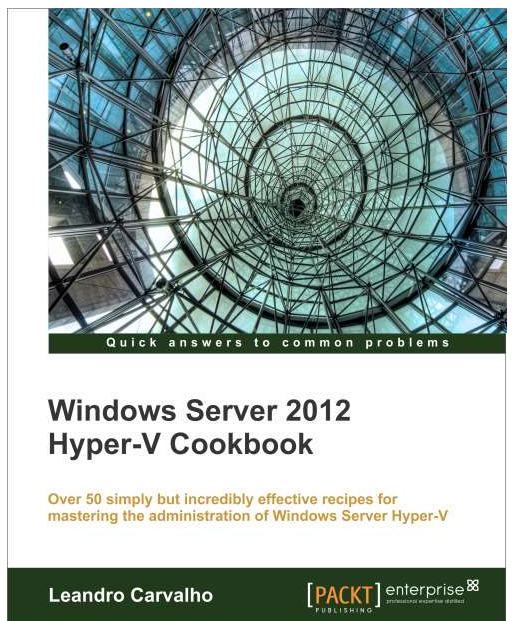
Windows Server 2012 Hyper-V Cookbook


I’ve been busy lately. Busy, beyond recognition.

Unfortunately, there hasn’t been enough time for my regular community activities like forums and blogging, but I will soon catch up to share some good tips and tricks from the field, since that’s where I’ve been the last months, in the field.

As I have announced earlier, I have been the technical reviewer on my fellow MVP – Leandro Carvalho’s book: Windows Server 2012 – Hyper-V Cookbook


It has been a really interesting project since Hyper-V is my bread and butter, laying close to my heart.
So when Leandro reached out to me for a while ago, I was lucky and grateful to accept the honor without any doubt.

The book can be ordered now, and is scheduled for December this year. This is probably the best Christmas gift you can give your IT-friends, so I would strongly recommend this one for you all.

The book is not the usual theoretical stuff you would suspect, but is straight down to business from the first page, on the very first chapter.

This is the third book I am either writing myself or participating on as a reviewer, and I must say I enjoy to read the good work from my co-authors and MVP’s. So if you are planning to write a book on related subjects and need a helping hand, feel free to contact me.

Thursday, June 7, 2012

Virtual Machine in Windows Azure


Virtual Machine in Windows Azure

Hi all.
If you`re heading over to http://windowsazure.com – you`ll find some new features like Virtual Machine and Virtual Network.
These features are not completely new, but there are some major changes.

The Virtual Machine in Windows Azure is based on templates (extra small, small, medium, large and extra-large) and they now support states! https://www.windowsazure.com/en-us/home/features/virtual-machines/

I`ve stressed over and over that Windows Azure is Platform as a Service. It still is, but they`re open the door to the most flexible cloud service model – Infrastructure as a Service by supporting stateful VMs in their datacenter.

For a developer, this mean you can now migrate your existing applications to Windows Azure, without the need to re-write them to support the PaaS.
I`ve been working with Windows Azure for some years now, and even though you are now able to deploy infrastructure services in Windows Azure, be careful and re-think the scenario once again.
Check out the pricing for example. It`s no doubt that Windows Azure is still preferred when it comes to hosting your applications and leverage the architecture to host web and worker roles, using data storage services like blobs, tables, queues and SQL Azure. But the reason for this major change is based on customer feedback. They don’t want to re-write their applications just to make Microsoft happy. They have some applications that they can’t easily change and modify at the moment, but some parts of their distributed application are ready for Windows Azure. Well, this is actually the solution to place everything in Windows Azure in that specific scenario.

Together with network virtualization you can configure both the front-end IP and the back-end IP for your virtual machines in Azure, so that they can communicate in the cloud – and also with your on-premise resources through the service bus.

Oh, did I not mention that you can run Linux as well? Check it out here: https://www.windowsazure.com/en-us/manage/linux/

More to come – that`s for sure!

Sunday, May 13, 2012

SC 2012 Boot camp. My sessions

Getting ready for SC 2012 bootcamp.
I`m about to leavy my house and travel to Tønsberg, one of the oldest cities in Norway to deliver a bunch of sessions related to the newly realesed System Center suite - System Center 2012.
I`ll have 5 sessions.

1. Private Cloud / SC 2012 overview, going through all the components and how they integrates with each other, and what value this brings to your business. (Demos). Level 200-400.

2. SC 2012 - Data Protection Manager. What can you expect from this version and what are the new exciting features in this release? We will take a look on integration in this session as well. (Demos). Level 300.

3. SC 2012 - Virtual Machine Manager. Why is this the the key component in your private cloud? We`ll take a look at the architecture and setup, as well as the most important pillars. This will be a level 400 session.

4. SC 2012 - Virtual Machine Manager 2. Demo of Fabric management, Services, Cloud and much more. Level 400.

5. SC 2012 - App Controller. Give this tool to your application owners, for a persistent view of both on-premise and public cloud resources. This will include setup, key concepts and what challenges this component hopefully will solve.

The rest of the week? Deep dive into Orchestrator. I`ll live the hotel life the entire week, so if you`re near Oslo and want to grab a bite and a drink, let me know :-)

cheers,

Monday, April 23, 2012

Microsoft System Center Boot Camp

Are you a Microsoft Partner and want to dig into the great new contents that ships with System Center 2012?

Then you should sign up for the System Center Boot Camp in Tønsberg (Norway) at http://blogs.technet.com/b/partnerbloggen/archive/2012/03/01/er-du-klar-for-fremtiden-bli-med-p-229-lanseringsbootcamp-p-229-system-center-2012.aspx

I`ll have quite a few sessions during the boot camp where I`ll be touching Data Protection Manager, App Controller and...behold... Virtual Machine Manager.
At least, that`s my agenda, but I`ll also show the components in the context of a private cloud that also includes Orchestrator, Operations Manager and Service Manager - it`s all a part of my demo environment, so I can give the audience the demos they need and expect, and a true understanding of how to increase the value they`re already giving to their customers and clients.

By the way, I`m also counting the days for next week where I`ll talk about Windows Server 2012 and Hyper-V 3.0 for hosters as well as SC 2012 during the "Hosting Day" at Microsoft HQ at Lysaker.

Alright, I have some slides to polish.

Tuesday, April 17, 2012

Understanding Microsoft Private Cloud - White paper

I`ve created a tiny white paper that explains cloud computing in general and the value that System Center 2012 brings to the table.
Based on research and work I`ve done over the last year, there is a huge need of knowledge and understanding of the subject. And it`s very important to know what cloud is, and how Microsoft offer cloud computing through System Center 2012 prior to the deployment.

Hopefully, this document will provide you with an overview and introduction, targeting both the CIO and the IT-pro.

Download the white paper here!

Cheers,

Tuesday, January 17, 2012

Microsoft Private Cloud (System Center 2012) Licensing FAQ


Together with Microsoft Private Cloud offering, there is some news related to the licensing.

System Center 2012 Server Management Licensing

1. What’s new with System Center 2012 licensing?


System Center 2012 server management licensing maximizes your private cloud value while simplifying purchasing.

License required only for endpoints being managed. No additional licenses needed for management servers or SQL Server technology.

Consistent licensing model across editions. Processor based license, covering up to two processors targeted at most common hardware configuration

Same capabilities across editions differentiated by virtualization rights. All server management licenses include the same components and the ability to manage any private cloud workload.

2. Can you describe the product editions offered with System Center 2012?


System Center 2012 management licenses will be released in 2 editions differentiated by virtualization rights only:

Datacenter: Maximizes cloud capacity with unlimited Operating System Environments (OSEs) for high density private clouds

Standard: For lightly or non-virtualized private cloud workloads.


To provide you with the capabilities you need to manage a private cloud, both Standard and Datacenter editions of System Center 2012 include all the System Center components relevant to managing servers:
Configuration Manager
Service Manager
Virtual Machine Manager
 Operations Manager


Data Protection Manager
Orchestrator
App Controller
 Endpoint Protection


Download the PDF from here: http://bit.ly/xh4Ycf


Microsoft Private Cloud - Some pretty big announcements!

Wow!
I`ll been watching the virtual MS Event this evening – Transforming IT with Microsoft Private Cloud

Quite interesting right? Check out this page as well! http://www.microsoft.com/presspass/presskits/cloud/

Not enough? You can now download all the System Center 2012 products – and each of them are now available in Release Candidate.

More to come…. :-)

Sunday, December 4, 2011

Tip of the day: Try to see the big picture

About a month ago or so, I was visiting Microsoft HQ here in Norway. While I was there, a good friend of mine gave me some interesting literature.
Microsoft Enterprise Software Roadmap  - Independent Analysis of Microsoft Technology & Strategy

And I must say, this magazine shares many of my own ideas, on how Microsoft would change their technology and products in the future. That`s why I`m so involved with Windows Azure (although I`m a technologist) because I know it will have an impact on my job role - sooner or later.
The roadmap states that in the year of 2016 and beyond, the next versions of SQL Server will not come as a setup that you can install on-premise, but rather delivered through the cloud as a service (SQL Azure).
The same applies to Microsoft Exchange Server, and we already know that Office365 and SQL Azure are well-established in the cloud so far.
Interesting?
I recommend that you get a copy of this magazine and read it through. The peoples behind these publications have worked at Microsoft for several years, and already hit the high notes at many occasions. (Of course, they are not Microsoft employees anymore, and everything is based on their thoughts and knowledge).

Sunday, September 18, 2011

Windows Server 8 Developer Preview, and why you should care.

This article is based on the big Private Cloud picture, and what changes this will bring.
I will be focusing on the virtualization layer at this point, and what you need to prepare for to take advantage of the technology.

First of all, there are some new nice features that let you administer and manage your Windows Server more easily. Not only one single server at the time, but many. A so called multiserver management lets you manage both virtual and physical server from the same single pane of glass.
The deployment of server roles and features are also made much more simple, with scenario based deployment. This will also include both physical, virtual, local, and remote. Use your existing skills to make quicker and more reliable setups in your environment with this new upgrade.
But let`s move over to the important features, related to virtualization and Hyper-V.

First of all, you can now explode your current cluster restrictions, and have as many as 63 nodes and 4,000 VMs per cluster. Along with improved performance (they say), cluster-aware patching (we have this already in SCVMM 2012, with an orchestrated routine that updates every node in the cluster in an automated and optimized way) we also get data deduplication and live storage migration. Speaking of live migration, we are now able to live migrate VMs – not only one at a time, but many, and we can also schedule this. And if you have more important VMs than the other (I bet you have), you can now define priorities on the VM level.
One of the most common question I`ve seen in the Hyper-V forum, is questions related to Virtual Networks. What is a virtual network in Hyper-V, and how does it works? Especially myself and Brian Ehlert uses the word “switch” when we`re explaining this. And this has finally changed now in the next version of Windows Server. We call it Virtual Switch now, because that`s what it is.
And add native NIC teaming to it, and you can see that we`re moving further toward the cloud.
Hyper-V Replica will also be a business saver for the small and medium businesses, allowing you to implement a cheap disaster recovery plan. It only requires disk and networking.
Now, this was just some of the new features. I will suggest that you should take a closer look at Aidan Finn`s blog at http://aidanfinn.com to get more details. He played around at the Build-conference, and is a subject matter expert in Hyper-V.
Let`s focus on the virtualization layer a bit more.

Ok – so we have some serious changes in Hyper-V. What should be our focus?

High availability and continuously available systems.

There will be some new “best practices” I guess, but some of the best practices we already know from Hyper-V 2008 R2 will still apply. It will still be files on a disk, and these files will require the disk storage subsystem to handle the IOPS. No easy way out to place your VMs on an old file server, and expect fantastic performance.
However, all these major upgrades will be transmitted to the System Center-portfolio.
System Center Virtual Machine Manager 2012 will have to understand the virtualization layer in detail, and Fabric Management must be aware of how you have defined your clusters, what kind of storage solution you are using, and the new enhanced networking features. I guess we`re talking SCVMM 2012 SP1 when we will be playing with this in production.
DPM 2012 must also know this layer, to understand what and where to initiate the backup.
System Center Orchestrator 2012 will most likely give us some interesting and fun integration packs to support complex tasks to be automated, and System Center Operation Manager 2012 will monitor every new feature in detail.

I`m really looking forward to 2012. Stay sharp, and download the Windows Server 8 Developer preview today!

Tuesday, August 30, 2011

New TechNet forums!

New forums atTechNet
Do you have any questions about cloud computing?
Do you want to know more about the technology and processes that defines the magic?
Ever wonder about the differences between IaaS, PaaS, and SaaS?
And what about the deployment models? What is a private cloud, and what is a public cloud?

You can now ask questions to the community, Microsoft, and MVP`s at http://social.technet.microsoft.com/Forums/en-US/category/cloudcomputing

I guess I`ll see you over there in the near future.

Cheers,